FilePicker
A control that allows you to use the native file explorer to pick single or multiple files, with extensions filtering support and upload.
Examples
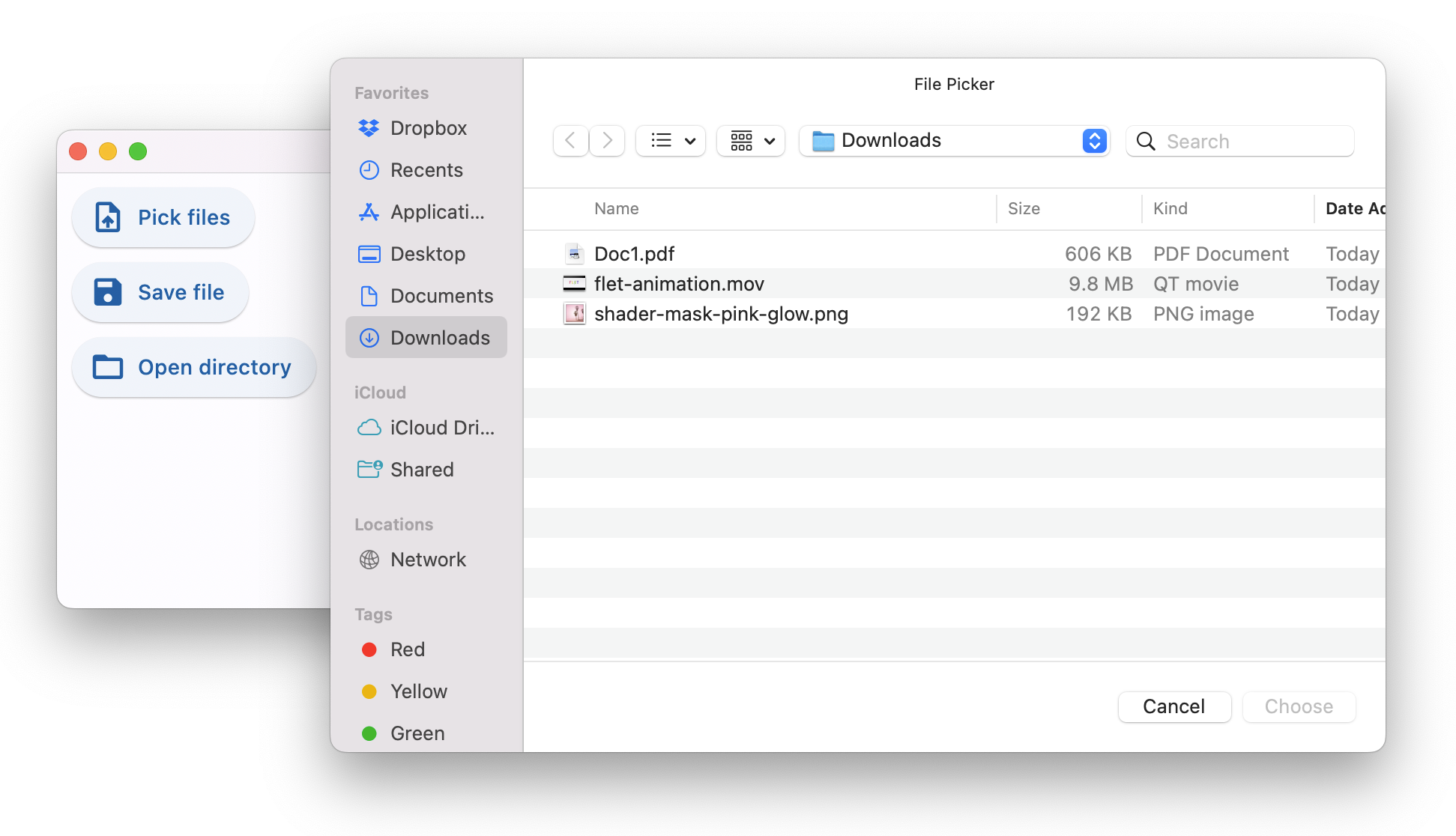
Pick multiple files
- Python
import flet as ft

def main(page: ft.Page):
    def pick_files_result(e: ft.FilePickerResultEvent):
        selected_files.value = (
            ", ".join(map(lambda f: f.name, e.files)) if e.files else "Cancelled!"
        )
        selected_files.update()

    pick_files_dialog = ft.FilePicker(on_result=pick_files_result)
    selected_files = ft.Text()

    page.overlay.append(pick_files_dialog)

    page.add(
        ft.Row(
            [
                ft.ElevatedButton(
                    "Pick files",
                    icon=ft.icons.UPLOAD_FILE,
                    on_click=lambda _: pick_files_dialog.pick_files(
                        allow_multiple=True
                    ),
                ),
                selected_files,
            ]
        )
    )

ft.app(target=main)
All dialog modes
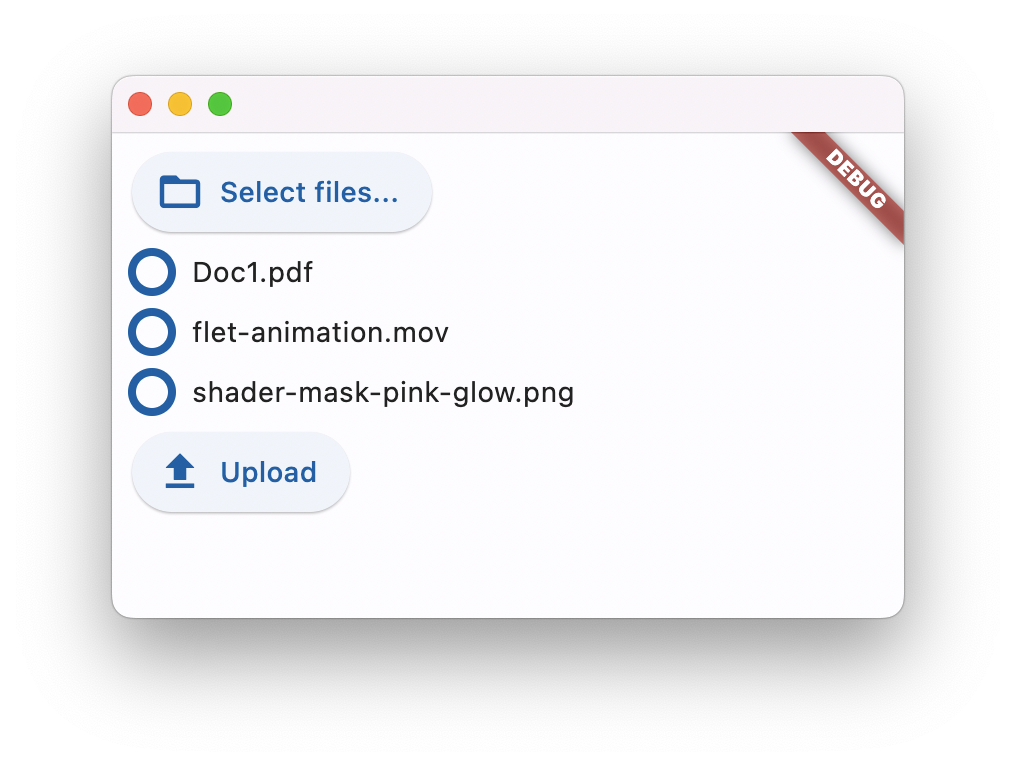
Upload multiple files
Properties
allowed_extensions
Allow picking files with specified extensions only.
The value of this property is a list of strings, e.g. ["pdf", "svg", "jpg"].
allow_multiple
Allow selecting multiple files.
dialog_title
Can be optionally set on desktop platforms to set the modal window title. It will be ignored on other platforms.
file_name
Works for "Save file" dialog only. Can be set to a non-empty string to provide a default file name.
file_type
Allow to pick files of specific group.
Property value is FilePickerFileType enum with the following values:
ANY(default) - any fileIMAGEVIDEOMEDIA-VIDEOandIMAGEAUDIOCUSTOM- only files with extensions fromallowed_extensionslist
initial_directory
Can be optionally set to an absolute path to specify where the dialog should open. Only supported on Linux, macOS, and Windows.
result
Result is set when the dialog is closed.
The value of this property is an instance of FilePickerResultEvent class:
path- result of "Save file" or "Get directory path" dialogs: selected file path or directory path respectively.Noneif dialog was cancelled.filesresult of "Pick files" dialog: a list ofFilePickerFileclass instances.Noneif dialog was cancelled.
FilePickerFile class properties:
name- file name without a path.path- full path to a file. Works for desktop and mobile only.Noneon web.size- file size in bytes.
Methods
get_directory_path()
Selects a directory and returns its absolute path.
You could either set the following file picker properties or provide their values in the method call:
dialog_titleinitial_directory
pick_files()
Retrieves the file(s) from the underlying platform.
You could either set the following file picker properties or provide their values in the method call:
dialog_titleinitial_directoryfile_typeallowed_extensionsallow_multiple
save_file()
Opens a save file dialog which lets the user select a file path and a file name to save a file.
This function does not actually save a file. It only opens the dialog to let the user choose a location and file name. This function only returns the path to this (non-existing) file in FilePicker.result.path property.
This method is only available on desktop platforms (Linux, macOS & Windows).
You could either set the following file picker properties or provide their values in the method call:
dialog_titlefile_nameinitial_directoryfile_typeallowed_extensions
upload()
Uploads selected files to specified upload URLs.
Before calling upload pick_files() must be called, so the internal file picker selection is not empty.
Method arguments:
files- a list ofFilePickerUploadFileclass instances.
Each list item specifies which file should be uploaded to the upload URL with PUT (default) or POST method.
nameupload_urlmethod(PUT(default),POST)
upload_url is, generally, a presigned URL (like AWS S3 object upload URL).
For built-in upload storage a signed upload URL can be generated with the following call:
upload_url = page.get_upload_url("dir/filename.ext", 60)
First argument is a relative to upload storage path. Second argument is a URL time-to-live in seconds.
To enable built-in upload storage provide upload_dir argument to flet.app() call:
ft.app(target=main, upload_dir="uploads")
Events
on_result
Fires when file picker dialog is closed.
Event object is an instance of FilePickerResultEvent class. See FilePicker.result for class properties.
on_upload
Fires when a file upload progress is updated.
Event object is an instance of FilePickerUploadEvent class:
file_nameprogress- a value from0.0to1.0.error