Tabs
The Tabs control is used for navigating frequently accessed, distinct content categories. Tabs allow for navigation between two or more content views and relies on text headers to articulate the different sections of content.
Examples
Tabs
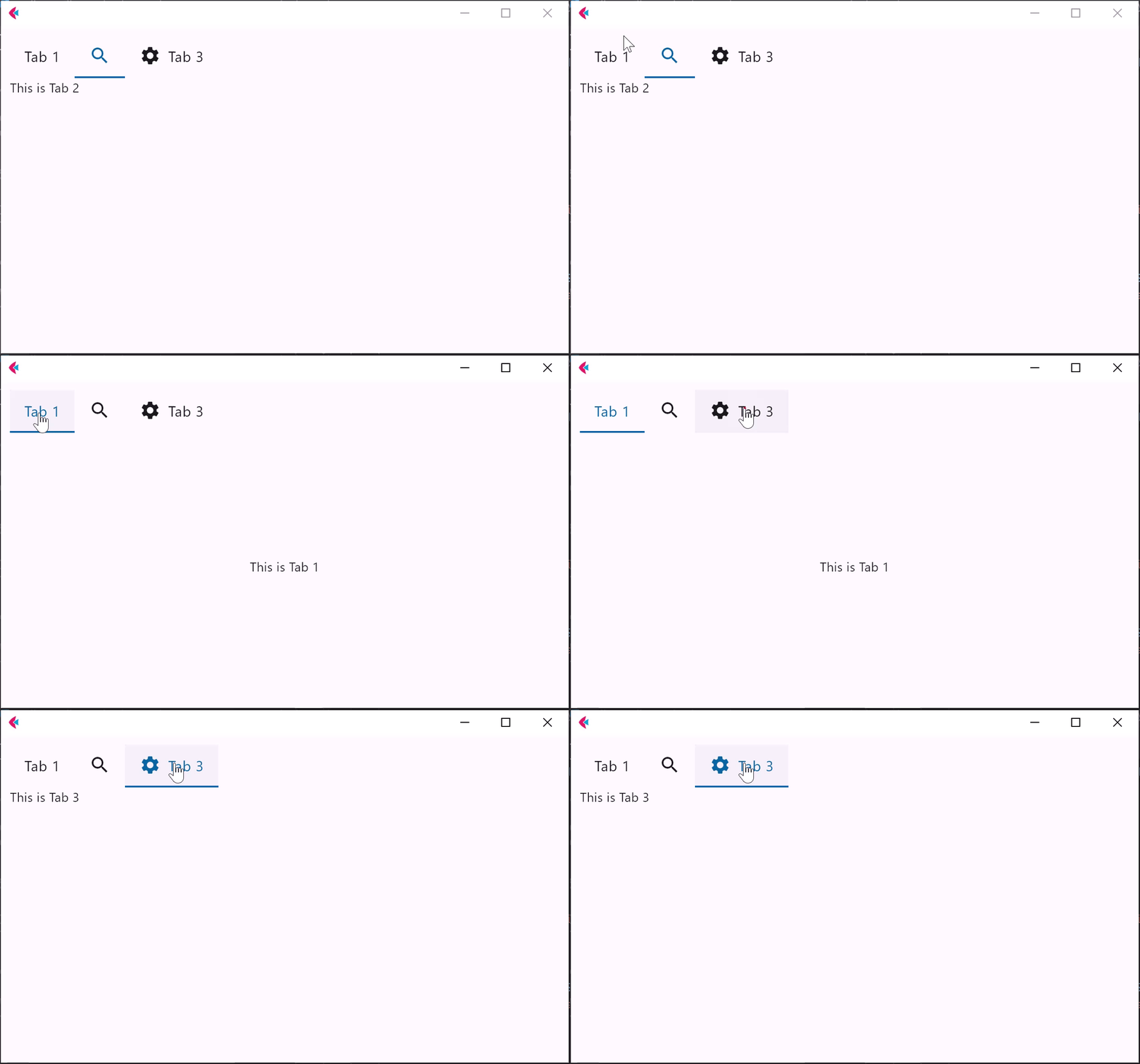
- Python
import flet as ft

def main(page: ft.Page):

    t = ft.Tabs(
        selected_index=1,
        animation_duration=300,
        tabs=[
            ft.Tab(
                text="Tab 1",
                content=ft.Container(
                    content=ft.Text("This is Tab 1"), alignment=ft.alignment.center
                ),
            ),
            ft.Tab(
                tab_content=ft.Icon(ft.icons.SEARCH),
                content=ft.Text("This is Tab 2"),
            ),
            ft.Tab(
                text="Tab 3",
                icon=ft.icons.SETTINGS,
                content=ft.Text("This is Tab 3"),
            ),
        ],
        expand=1,
    )

    page.add(t)

ft.app(target=main)
Tabs properties
animation_duration
Duration of animation in milliseconds of swtiching between tabs. Default is 50.
divider_color
The color of the divider.
indicator_border_radius
The radius of the indicator's corners.
indicator_border_side
The color and weight of the horizontal line drawn below the selected tab.
indicator_color
The color of the line that appears below the selected tab.
indicator_padding
Locates the selected tab's underline relative to the tab's boundary. The indicator_tab_size property can be used to define the tab indicator's bounds in terms of its (centered) tab widget with False, or the entire tab with True.
indicator_tab_size
True for indicator to take entire tab.
label_color
The color of selected tab labels.
overlay_color
Defines the ink response focus, hover, and splash colors. If specified, it is resolved against one of MaterialState.FOCUSED, MaterialState.HOVERED, and MaterialState.PRESSED.
selected_index
The index of currently selected tab.
scrollable
Whether this tab bar can be scrolled horizontally.
If scrollable is True, then each tab is as wide as needed for its label and the entire Tabs controls is scrollable. Otherwise each tab gets an equal share of the available space.
tabs
A list of Tab controls.
unselected_label_color
The color of unselected tab labels.
Tabs events
on_change
Fires when selected_index changes.
Tab properties
content
A Control to display below the Tab when it is selected.
icon
An icon to display on the left of Tab text.
tab_content
A Control representing custom tab content replacing text and icon.
text
Tab's display name.